TO ADD: Comments on caching system - Dependent on discussion regarding API calls
This system is designed to automate the process of mapping. But what is mapping? The process of mapping is taking a complex Learn page and attempting to display it simply so that it can be viewed with one look.
To achieve this, a course that on Learn may be split between many folders and menu items, is flattened into a single Excel sheet.
The name of each item in the course is displayed on its own row and the indentation from the left representing how deep in the folder structure the item is.
The items are also colour coded (with a key on the other sheet) allowing for the types of items to be quickly identified.
The resulting mapping can be used to see, at a glance, the structure of the course. This can be helpful in identifying learning patterns, use of the Learn Foundations Template and distribution of content to name a few.
In the past mapping was done infrequently (usually yearly) and had to be done manually line by line by student interns or members of staff which was time consuming and therefore costly. With this new system mappings can be created in a matter of seconds any time of the day or night.
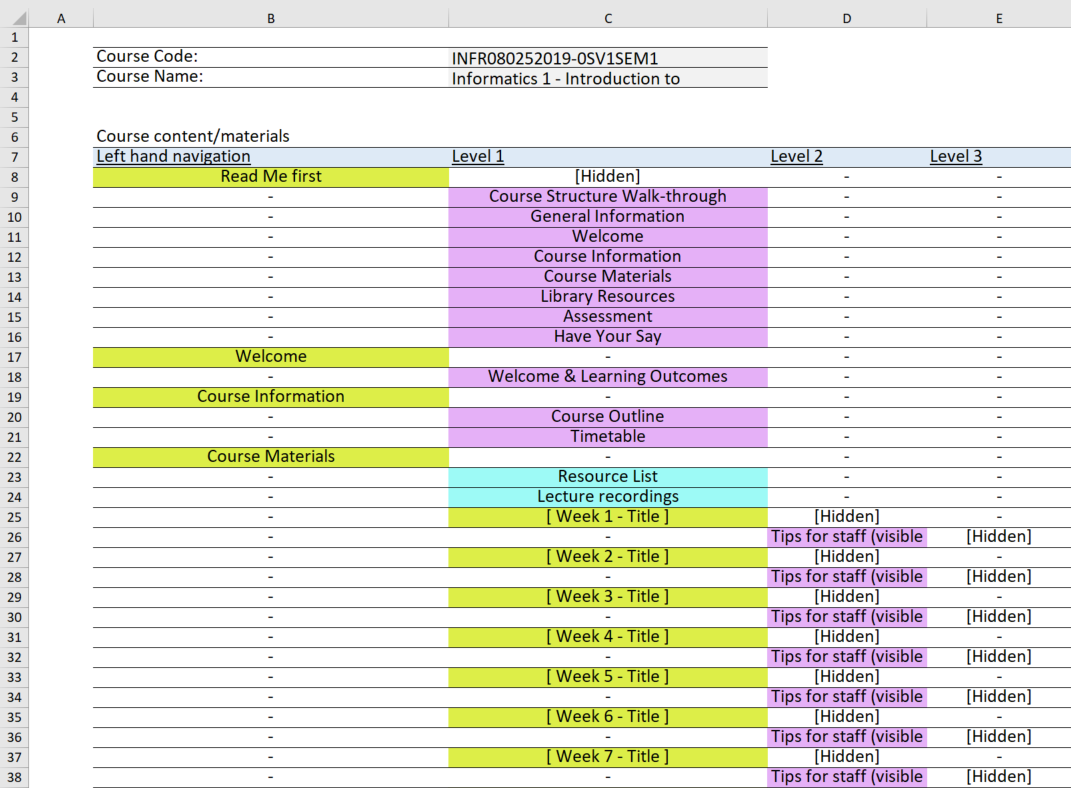
Above you can see the the kind of mapping that this system produces. The full file can be seen here.
Enter the FULL course code below and press the Map button, if you don't know the full course code see FAQs at the bottom. After a few seconds the page should prompt you to download the resulting Excel file. Feel free to change or annotate this downloaded file as a fresh copy can always be fetched from this page.
Please input the full course code - Example: ACCN080092015-6SV1SEM1
Alternatively if you have a number of courses to map please list them in a .csv file and then upload them here, you will get back a ZIP folder with one file for each course in the CSV file. Note that this can take some time.
An additional option is Master Mapping, this takes multiple courses and puts them all in one excel file. See this _________ document for more details.
In the case of any issues with this webpage or the mapping please contact martin.lewis@ed.ac.uk
Finding the full course code
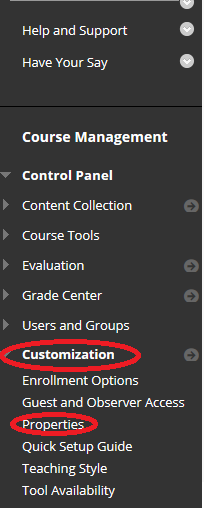
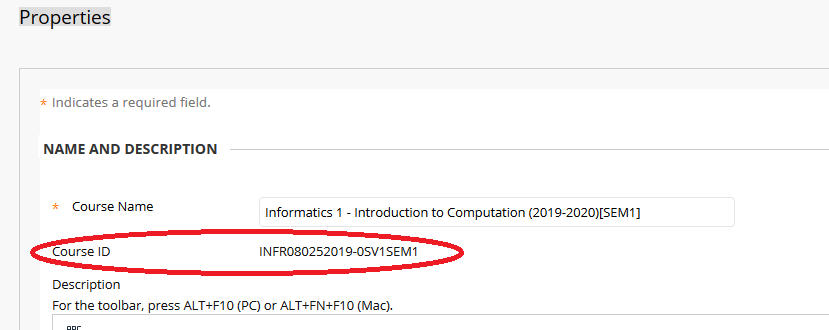
The full course code can be found on a course's learn page. In the left hand menu under course management click Customisation and then Properties. It should then be visible at the top of the screen under the course's title.